
GreenSpecs for your store
For Shopify store owners. Updated 20 October 2026.
Thank you for looking at GreenSpecs. This page covers what the grade shows, what it costs and how to add it.
What shoppers see
A small grade sits on each product page, with the score out of 100 and one line on what helps and what holds it back.
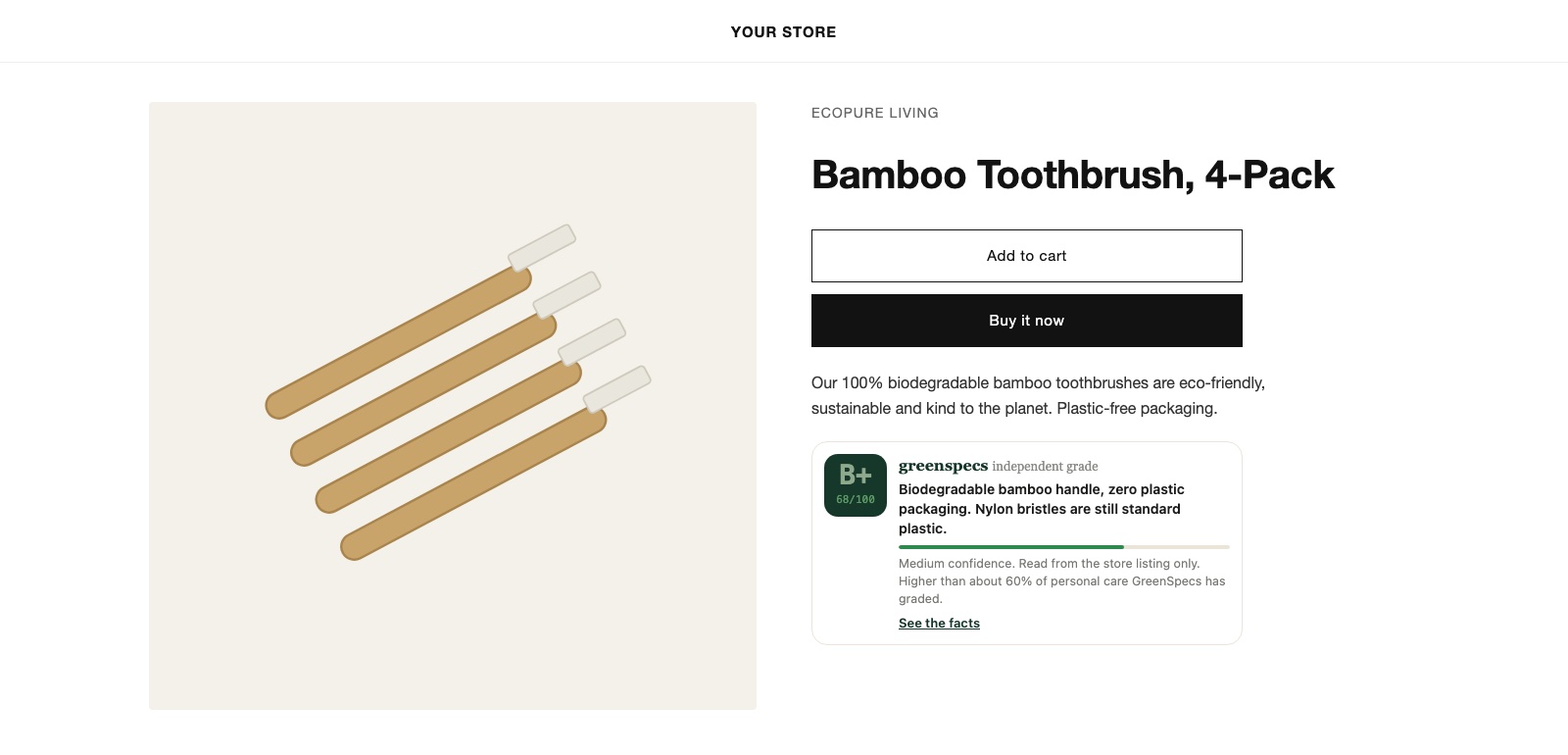
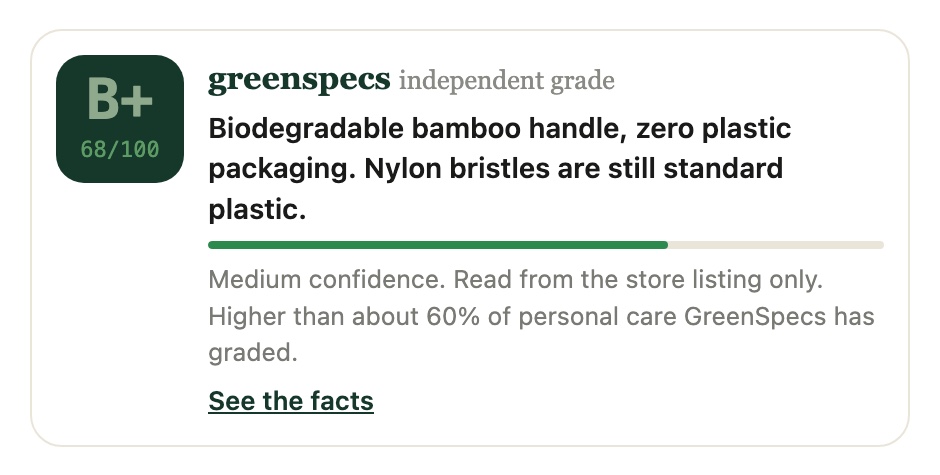
- The confidence of the grade, and what it was read from: the product label or your listing.
- A See the facts link to the product's public page on greenspecs.app.
- On collection pages, a small grade chip on each card, if you turn it on.
Why it can help
Shoppers are asked to trust a lot of green words. A grade from outside the store gives them something to check.
The grade comes from the product, not from how it is described. Real work in a product shows up; vague claims do not lift it.
No one can edit, hide or pay for a grade, including us. That is what makes it worth showing.
If a grade rests on wrong information, you can report it from the app. A person reviews every report.
What moves a grade
Each product is scored on five signals, each worth up to 20 points.
- Claims and disclosure: specific claims that can be checked, not words like "natural".
- Certifications: marks with an outside audit. We check USDA Organic, Leaping Bunny and SBTi against their public lists. A person checks B Corp.
- Packaging: less of it, recycled content, refills, materials that are actually recycled.
- Ingredients or materials: what the product is made of and what it does in use.
- Supply chain and footprint: where it is made, how it is grown or sourced, and whether the main source of its carbon is addressed.
What changing the supply chain does
For most products, most of the harm happens before the product reaches the shelf: on the farm, in the mine, at the mill, in the factory.
That is where the largest gains are. A certified organic or regenerative source changes how the land is farmed. A named, audited factory changes how people are paid and treated.
A sustainability report on its own changes none of that. The grade reflects the change at the source, not the report.
When a brand you stock changes how a product is made, the grade can move when the product is read again. Ask us if you want a product looked at after a change.
Price
Free. If we ever charge, it will be through Shopify's own billing, and you will be asked to approve it first.
How to add it
- Install GreenSpecs from the Shopify App Store. The app is in Shopify's review now. If you cannot find it yet, email us and we will tell you when it is listed.
- Open GreenSpecs under Apps in your Shopify admin. Keep the page open while it grades your products. It takes a few seconds a product.
- Choose Add to product pages. The theme editor opens with the grade placed. Click Save.
- For collection pages, choose Show grades on collection pages, check the switch is on, and click Save.
The app reads your products only. It never reads your customers or orders. Details are in the privacy policy.
Passing it on
If another store owner might want this, send them this page: greenspecs.app/stores.
If a brand you stock wants a certificate counted, they can send it to us. We check it before it counts.
Questions about the app, a grade, or a product: hello@greenspecs.app. We answer within two working days.
Thank you for being part of this. Every store that shows an honest grade makes it easier for shoppers to choose well, and for the brands that do the work to be seen.